
In this article
- What a free Shopify theme actually includes
- What a premium theme brings (and what it doesn't)
- Quick comparison: free theme vs premium theme
- The real cost: theme + apps
- When a free theme makes sense
- When a premium theme makes sense
- How to evaluate a paid theme before you buy
- Common mistakes when deciding
- Decide based on your situation, not someone else's
Choosing between a free vs premium Shopify theme depends less on the theme's price and more on how many features you'll need and what it will cost to get them some other way. A free theme is a solid foundation for validating a product. A paid theme makes sense when you want to sell with offers, upsells and trust elements without loading your store with apps. In this comparison you'll see what each option brings, what it really costs and which situation each one fits.
What a free Shopify theme actually includes
The free themes in Shopify's official theme store are built and maintained by Shopify itself. They aren't "second-class" themes: they're fast, clean, compatible with the editor's modern sections and they receive updates. You can check how they work and how to manage them in Shopify's theme documentation.
What they usually offer:
- A well-built basic structure: section-based homepage, collections, product page, cart and blog.
- A clean, mobile-responsive design.
- Customization from the editor without touching code: colors, fonts, blocks and section order.
- A good technical foundation, because they're designed as a standard starting point.
What they usually don't include (or include only in a very basic form):
- Quantity discounts on the product page.
- Upsells or "frequently bought together".
- A free-shipping progress bar in the cart.
- A sticky add-to-cart button that follows the shopper as they scroll.
- Countdown timers, promo popups or free gifts above a minimum order value.
- Delivery-date ranges, size charts or advanced custom fields.
None of this is essential to open a store. But if your strategy relies on raising average order value or selling with offers, you'll need to add it somehow, and that's where the cost difference begins.
What a premium theme brings (and what it doesn't)
A paid theme isn't better by definition. What you're buying is mainly built-in functionality and a design made for a specific kind of store. Good premium themes usually offer:
- Sales tools inside the theme itself: volume offers, upsells, a cart drawer with incentives, trust badges.
- Templates geared to a niche or business model (private label, dropshipping, large catalog).
- More product page options: videos, before/after sliders, benefit blocks, FAQs.
- Support and updates from the developer.
What a premium theme does not do:
- It doesn't sell for you. Product, price, photos and traffic are still what decide.
- It doesn't make up for a weak offer or the wrong audience.
- It doesn't guarantee speed: that depends on how it's built and what you add on top.
Some paid themes are sold as a subscription and others as a one-time payment. Check this before buying, because it changes the medium-term cost a lot.
Quick comparison: free theme vs premium theme
| Aspect | Free theme | Premium theme |
|---|---|---|
| Theme cost | None | One-time payment or subscription, depending on the developer |
| Conversion features | Basic | Usually built in |
| Reliance on apps | High if you want offers and upsells | Lower, depending on the theme |
| Design | Generic and clean | More niche- or sales-oriented |
| Learning curve | Low | Medium: more options to configure |
| Support | Official documentation | Developer support |
| Best for | Validating, simple catalogs | Selling with offers, scaling with ads |
The table sums up general trends. There are mediocre premium themes and excellent free ones, so use it as a map, not a verdict.
The real cost: theme + apps
This is where many people get it wrong. Comparing "free" against "paid" by looking only at the theme's price is misleading, because the features a free theme lacks are usually added with apps, and many apps charge every month.
An illustrative example, with no real figures: a store on a free theme installs one app for quantity discounts, another for upsells, another for a cart with a free-shipping bar and another for a countdown timer. It ends up paying four monthly subscriptions. After a year, that total can easily exceed what a one-time-payment theme with those features already built in would have cost.
On top of the money, every app adds:
- Extra scripts that can affect load speed.
- Styles that don't always match your theme's design.
- More points of failure when an app updates or stops being maintained.
- More dashboards to manage.
If you already have a store, run this calculation with real data before deciding. The free Shopify store auditor analyzes a store's public pages, detects which apps it uses, estimates what they cost per month and tells you which ones the theme could replace. You can also use it on competitors' stores to see what kind of tools they're running.
How to do the math yourself
- List the features you need (offers, upsells, cart, trust, delivery).
- Note what the free theme covers and what it doesn't.
- Find the app that would fill each gap and write down its current monthly price.
- Multiply by 12 and compare it with the cost of the premium theme.
- Factor in time: setting up and maintaining several apps costs hours too.
When a free theme makes sense
A free theme is the right call in more cases than you might think:
- You're validating a product and don't know yet whether it will sell. There's no point investing before your first sales.
- Your catalog is simple and you won't be using bundles, volume discounts or upsells.
- You sell mainly through other channels (marketplaces, social media, a physical shop) and your site is basically a storefront.
- You have development skills or a trusted developer who can add what you need without apps.
- Your starting budget is very tight and you'd rather spend it on product or ad tests.
In these cases, start with the free theme, take care of your photos and copy, and revisit the decision once you have traction.
When a premium theme makes sense
Paying for a theme usually makes sense when:
- You're going to invest in ads (Meta, TikTok, Google). If you pay for every visit, every improvement to the product page and cart carries more weight.
- Your strategy is built on offers: "buy one, get one", "buy 3 and save", a free gift over a certain amount, free shipping above a minimum.
- You want to raise average order value with upsells on the product page and in the cart.
- You're already paying for several apps the theme could replace.
- You run several stores and want a shared foundation you can reuse.
- You don't want to depend on a developer for every change.
For example, Pixelion's features cover exactly these needs inside the theme itself: quantity discounts, upsells and "frequently bought together", a cart drawer with a free-shipping progress bar, cart upsells, a sticky add-to-cart button, a countdown timer, a promo popup, a free gift above a minimum order value, delivery-date ranges, a size chart and trust badges. It's the kind of list worth comparing against the apps you'd have to install on top of a free theme.
How to evaluate a paid theme before you buy
Don't buy based on a pretty homepage screenshot. Check the following:
- Test the demo on your phone. Most of your visitors will come from mobile. Open a product page, add to cart and see how it behaves.
- Look for a demo in your niche. Seeing the theme with products similar to yours saves you from guessing how it will look. You can browse the Pixelion live demos in beauty, fashion, supplements, pets, home and tech to get a realistic picture.
- Check the payment model. One-time payment or recurring fee? Are updates included?
- Review the update history. A theme that's updated regularly is a good sign. For Pixelion, the version history is public.
- Read the license. How many stores can you use with one purchase? This matters if you plan to launch more than one.
- Measure speed yourself with tools like PageSpeed Insights, keeping in mind that the apps and images you add count too.
- Read what's included and what isn't. If a key feature for you requires an extra app, add it to the calculation.
Common mistakes when deciding
- Blaming the theme when the real problem is the offer, the photos or the traffic.
- Buying a premium theme and keeping all the old apps, duplicating features and slowing the store down.
- Switching themes every month in search of the perfect one. Every switch means reconfiguring and testing again.
- Choosing on looks alone without testing the full checkout flow.
- Ignoring the 12-month cost and looking only at the day-one price.
- Over-customizing: more sections doesn't mean more sales. Prioritize clarity.
Decide based on your situation, not someone else's
If you're validating and your catalog is simple, a well-crafted free theme is enough and you can leave the investment for later. If you're already selling, plan to scale with ads or are paying for several apps every month, a one-time-payment premium theme usually makes more financial and technical sense. If you're in that second group, take a look at Pixelion's plans: it's a one-time payment with no monthly fees, free lifetime updates and licenses for one store (Individual), three (Pro) or unlimited stores (Agencia). Before deciding, try the demos and compare their features with the apps you're paying for today.
Frequently asked questions
Is it bad to use a free Shopify theme?
No. Shopify's official free themes are fast, well maintained and a solid foundation to start with. Their limitation is that they include few sales features, so if you need offers or upsells you'll have to add them with apps or custom development.
Will a premium Shopify theme increase my sales?
A theme alone doesn't guarantee sales. What it gives you is built-in tools (offers, upsells, a cart with incentives, trust elements) that make it easier to apply best practices without relying on several apps. Results still depend on your product, your offer and your traffic.
Which is cheaper: a free theme with apps or a premium theme?
It depends on how many apps you need. If a free theme forces you to pay several monthly subscriptions, over 12 months it often ends up costing more than a one-time-payment theme that already includes those features. Run the numbers using the current prices of the apps you'd use.
Can I switch from a free theme to a premium theme later?
Yes, Shopify lets you install and preview another theme without losing products or orders. You'll need to reconfigure the design and sections, so take your time and review the store before publishing it.
What should I check before buying a paid Shopify theme?
Test the demo on your phone, look for one in your niche, check whether it's a one-time payment or a subscription, and review the update history and how many stores the license covers. Then add the cost of any apps you'd still need.
Two free resources for your store
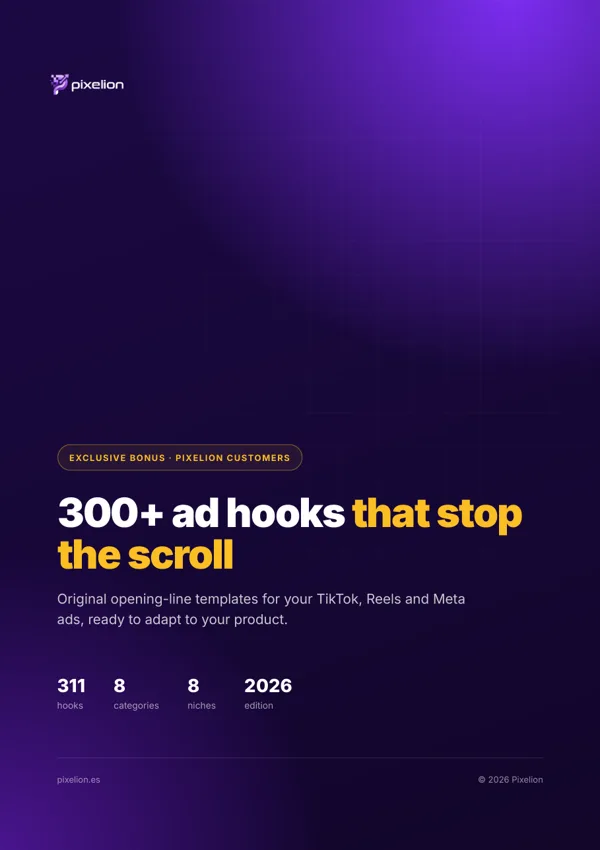
Turn more visitors into buyers with Pixelion
A Shopify theme with the conversion features built in, for a one-time payment. No monthly apps.
Don’t have a Shopify store yet? Create yours here ↗
Affiliate link: Shopify may pay us a commission at no extra cost to you.
