Blog & pages
Blog Sidebar
What it is
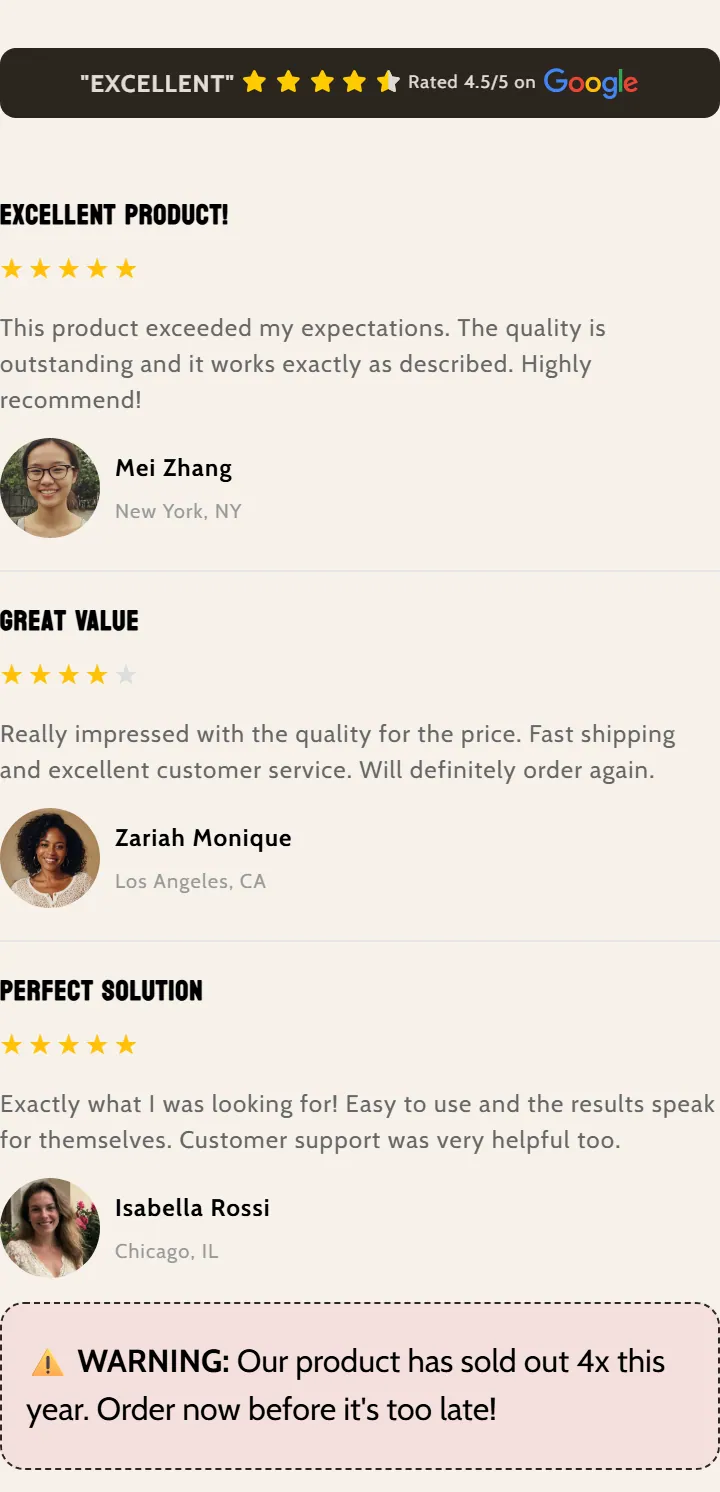
A sidebar for blog pages with its own title, reviews, animated stats and other social proof blocks. You can place it on the right or the left of the content.
When to use it
- Show customer reviews next to a blog article.
- Highlight key numbers (customers, ratings, years of experience) with animated stats.
- Add a button or an eye-catching note beside the article content.
- Build trust with review platform badges or happy customers.
- Used by default in
- Not placed by default: add it from the editor.
- Available in
- Any template
Main settings
How this section's settings are organised.
General3 settings
Enable sidebar · Sidebar position · Sidebar title
Typography1 settings
Sidebar title font size (px)
Colors2 settings
Sidebar title color · Margin top (px)
Stat Blocks9 settings
Number color preset · Number color gradient · Override number color · Number color · and 5 more
Stat Block Text Highlighting1 settings
Override underline color
Common settings
This section also has these shared settings, explained on their own page:
Blocks
Content you add inside the section with “Add block”. Their settings are in the full reference.
- Pixelion: Review with img70 settings
- Video Carousel57 settings
- Pixelion: Featured Review48 settings
- Pixelion - Icons Plus89 settings
- Pixelion - Rating stars49 settings
- Pixelion Heading24 settings
- Pixelion: Platform Review50 settings
- Pixelion - Note box41 settings
- Pixelion Description V195 settings
- Pixelion: Happy Customers32 settings
- Stat block6 settings
- Divider10 settings
Full reference: 716 settings
Type, default value, ranges and units, every option and when each setting shows — plus every block setting, tips and the docs of older versions. Available to Pixelion customers.
File: sections/blog-sidebar.liquid · v2.0.15