Product
Product Video Popup
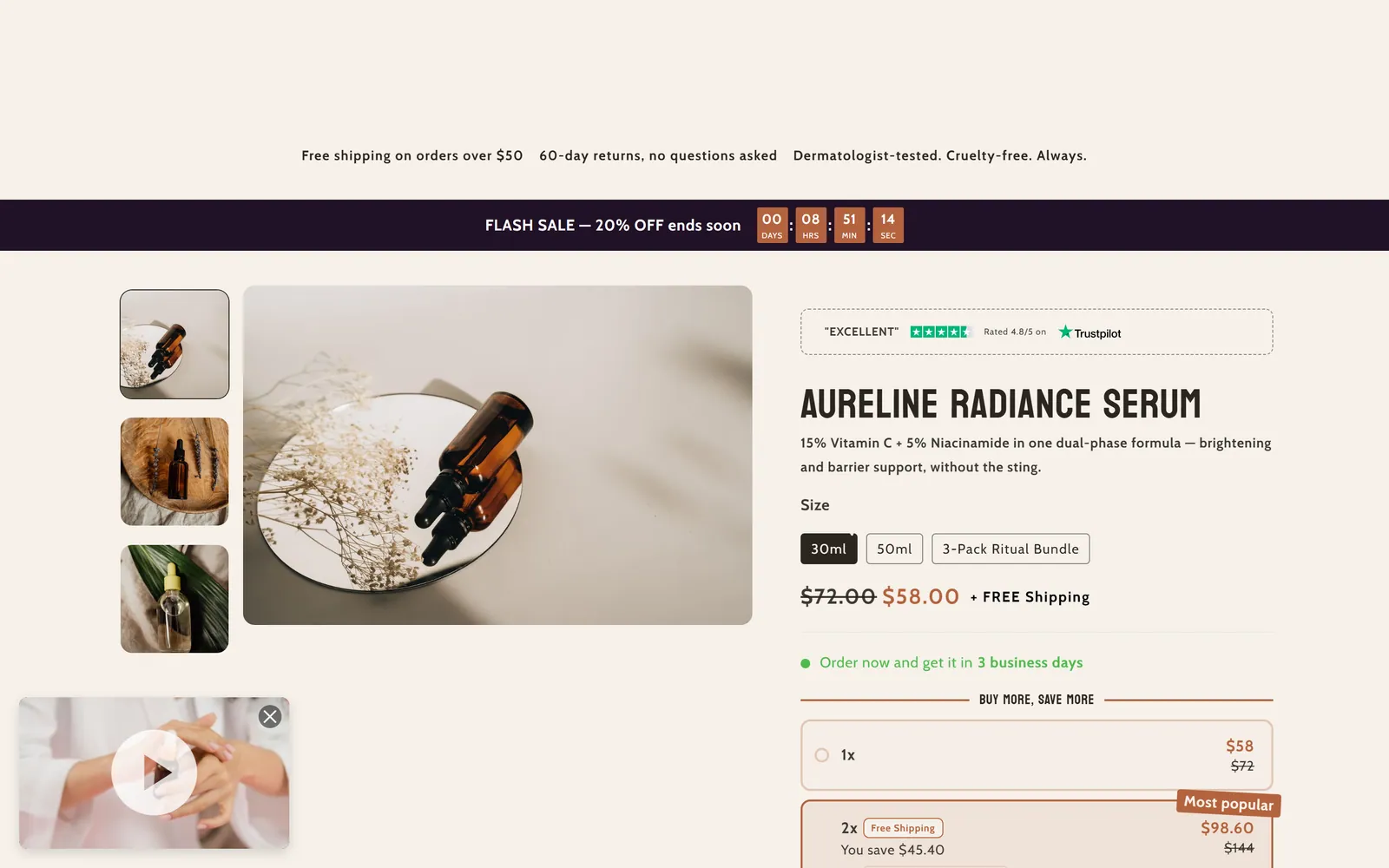
What it is
A small floating window with a video or image preview of the product. Clicking it opens the full video in a modal or sends the customer to a link.
When to use it
- Show a product demo video without using page space.
- Highlight an offer with an overlay card on top of the video.
- Send customers to another page when they click the preview.
- Used by default in
- Home page, Product page
- Available in
- Any template
- Appears in the editor as
- «Preview Popup»
- Limits
- Once per page
Main settings
How this section's settings are organised.
Preview Popup Settings3 settings
Enable preview popup · Preview type · Preview image
Video Settings3 settings
Video source · Preview video · External video URL
Full Video Settings (Modal)4 settings
Full video source · Full video · Full video URL · Popup link URL
Modal Card Settings3 settings
Enable overlay card · Card title · Card description
Card Title Styling9 settings
Enable title text highlighting · Title highlight color · Title highlight font weight · Title font size (desktop) · and 5 more
Card Description Styling8 settings
Enable description text highlighting · Description highlight color · Description highlight font weight · Description font size (desktop) · and 4 more
Timing Settings2 settings
Delay before showing (seconds) · Auto-hide after (seconds)
Appearance Settings3 settings
Vertical format · Preview width (pixels) · Custom preview height (pixels)
Blocks
Content you add inside the section with “Add block”. Their settings are in the full reference.
Full reference: 77 settings
Type, default value, ranges and units, every option and when each setting shows — plus every block setting, tips and the docs of older versions. Available to Pixelion customers.
File: sections/product-video-popup.liquid · v2.0.15