Social proof & trust
Why Choose Us v2
What it is
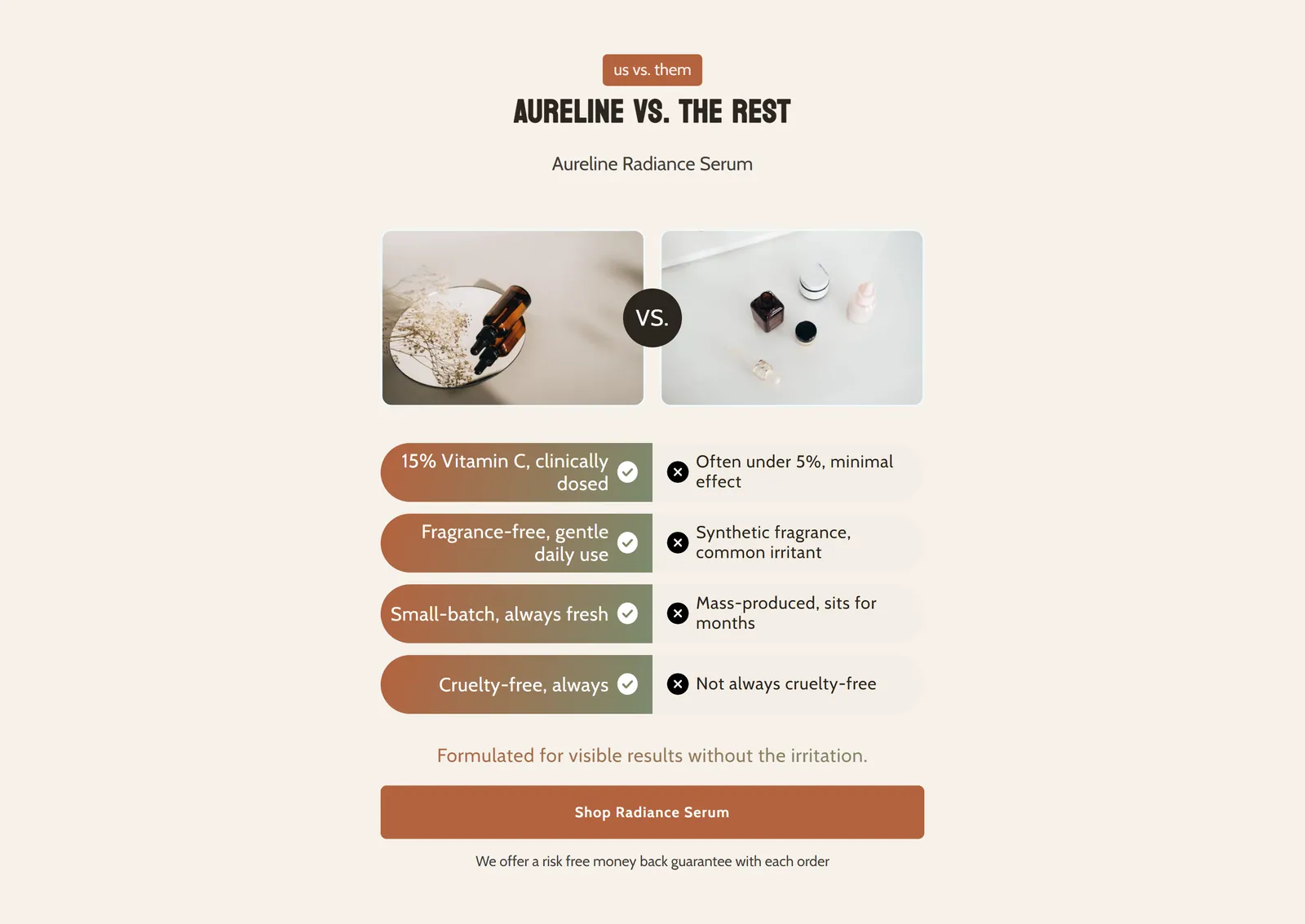
A visual comparison of your product against a competitor: two facing images with a VS badge and feature rows side by side. It ends with a description and action buttons.
When to use it
- Show why your product beats the generic alternative.
- Summarize your advantages in short, easy-to-scan rows.
- Close the comparison with a call to action and a guarantee.
- Used by default in
- Not placed by default: add it from the editor.
- Available in
- Any template
- Appears in the editor as
- «Why Choose Us V2»
Main settings
How this section's settings are organised.
Content4 settings
Section color scheme · Override section color · Custom section background color · Container max width
Badge22 settings
Badge Text · Badge color scheme · Badge height · Badge font size · and 18 more
VS Badge Settings9 settings
VS Text · Enable Custom VS Styling · VS Font Family · VS Font Size · and 5 more
Image Settings5 settings
Our Product Image · Competitor Product Image · Image Border Radius · Image Border Width · and 1 more
Call to Action8 settings
Feature Description · Feature description font size · Feature description margin bottom · Mobile feature description font size · and 4 more
Colors8 settings
Badge Background Color · Badge Text Color · VS Badge Background Color · VS Badge Text Color · and 4 more
Spacing4 settings
Top Padding · Bottom Padding · Mobile Top Padding · Mobile Bottom Padding
Feature Row Settings11 settings
Feature row height · Feature row margin bottom · Feature row border radius · Our feature font size · and 7 more
Common settings
This section also has these shared settings, explained on their own page:
Blocks
Content you add inside the section with “Add block”. Their settings are in the full reference.
- Comparison Feature2 settings
Full reference: 132 settings
Type, default value, ranges and units, every option and when each setting shows — plus every block setting, tips and the docs of older versions. Available to Pixelion customers.
File: sections/why-choose-us-v2.liquid · v2.0.15